

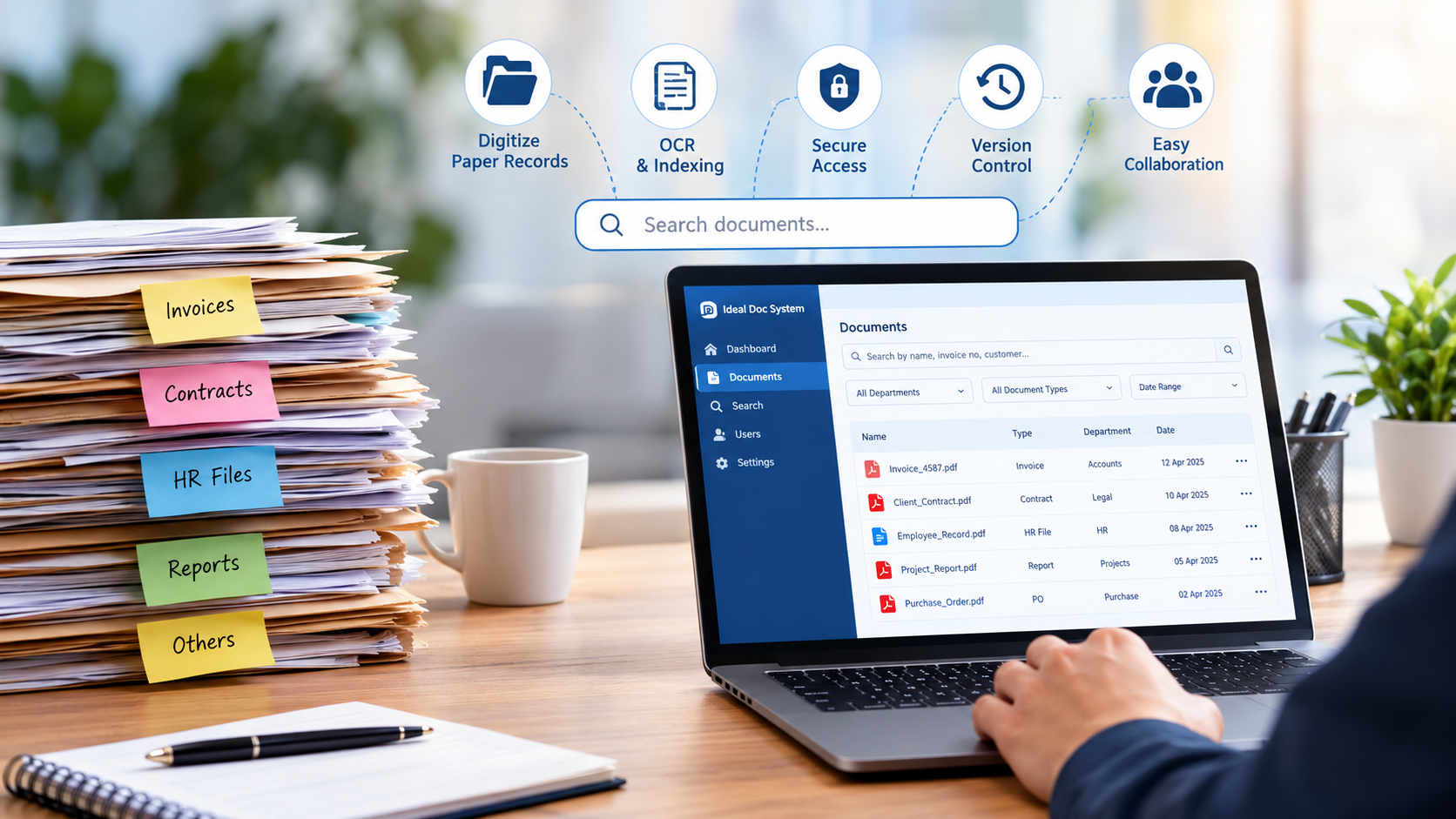
Why Your Business Still Struggles to Find Documents—and How to Fix It
Imagine this: a client calls asking for a copy of an invoice issued six months ago. Someone in the accounts department starts looking through folders on the computer. Another employee checks their email. A third person searches an old filing cabinet because the original document might still be there.
Twenty minutes later, the invoice finally turns up.
It sounds like a small problem, but situations like this happen in offices every day. And when they become part of the normal working routine, the time lost can add up surprisingly quickly.
The issue is not always that a business has too many documents. Often, the real problem is that nobody has a reliable way to organize, locate, and manage them.
The Hidden Cost of Disorganized Documents
Most businesses do not notice how much time they lose to document-related tasks until they look closely at their everyday processes.
Consider a typical office. Employees handle invoices, purchase orders, customer records, employee files, contracts, reports, and internal approvals. Some documents arrive by email, others are downloaded from portals, and many still come in paper form.
Over time, these records end up scattered across shared folders, personal computers, email attachments, and physical storage cabinets.
This creates several problems.
Employees waste time searching. A document that should be available in seconds can take several minutes to locate, especially when file names are inconsistent or nobody remembers where it was saved.
Different versions cause confusion. One employee may be working with the latest contract, while another has an older copy. Without proper version control, it becomes difficult to know which document is correct.
Important information depends on individuals. When a staff member leaves or goes on leave, colleagues may struggle to find files that were stored in that person’s folders or mailbox.
Sensitive records need better control. Not everyone in an organization should have access to confidential HR files, financial records, or legal agreements. Unstructured storage makes access management harder.
Individually, these issues might seem manageable. Together, they can slow down an entire organization.
Why Saving Files in Folders Is Not Always Enough
Shared folders are useful, and there is nothing wrong with using them for everyday files. The challenge begins when the volume of documents grows and multiple departments need to work with the same information.
Let’s say a company has thousands of invoices stored in folders organized by year and department. An employee looking for a particular invoice might know the supplier’s name but not the exact file name or folder.
They may have to open several files before finding the right one.
Now imagine being able to search for the supplier’s name, invoice number, or another relevant detail and retrieve the matching record without manually opening every file.
That is where a document management system, commonly known as a DMS, becomes useful.
A DMS is more than an online folder. Depending on the solution, it can combine document storage, indexing, search, access permissions, version management, and activity tracking in one organized environment.
Instead of relying entirely on employees to remember where a file was saved, the system gives them a consistent way to find and manage records.
How a Document Management System Makes Everyday Work Easier
The real value of document management becomes clear when you look at the tasks employees perform every day.
1. Find documents without searching through dozens of folders
A document management system can organize records using details such as document type, date, department, customer name, reference number, or other relevant metadata.
For example, an accounts employee could search for an invoice number rather than navigating through multiple folders. If OCR and full-text search are supported and configured, it may also be possible to search for words appearing inside scanned documents.
The result is a more practical way to retrieve information, particularly when an organization handles a large volume of records.
2. Bring paper records into the digital workflow
Many organizations still depend on physical files for contracts, employee records, historical registers, and financial documents.
Digitization converts these paper records into digital files. With suitable OCR processing, scanned documents can also become searchable.
However, scanning alone does not solve every problem. If thousands of scanned files are saved with random names and no useful indexing, employees may still struggle to find what they need.
A better approach combines document scanning, sensible indexing, quality checks, and a clear storage structure. This turns a collection of digital images into a more usable business archive.
3. Give employees the right level of access
A company’s documents do not all have the same level of confidentiality.
The HR team may need access to employee records, while the accounts team works with invoices and payment documents. Management may need a broader view, but temporary staff may only require access to a limited set of files.
A DMS with role-based access controls can help administrators define who may view, upload, edit, or manage particular records. Audit logs, where available, can also help track activity.
These controls should be configured according to the organization’s actual requirements. A digital system still needs sensible permissions, secure authentication, backups, and appropriate retention practices.
4. Reduce confusion around document versions
Think about a contract that passes between a sales team, a manager, and the legal department.
Several people may make changes, and copies can quickly accumulate with names such as contract_final, contract_final_new, and contract_final_latest.
A system with version management can keep document revisions organized and help users identify the appropriate copy. Depending on the software, it may also support approval workflows and a record of changes.
This is particularly helpful when documents go through repeated reviews before they are approved.
5. Make records easier to retrieve during audits and reviews
When an auditor, manager, or client requests a particular record, employees should not have to rely on guesswork.
Consistent indexing and centralized document storage make it easier to locate supporting records, provided the documents have been properly captured and organized.
For businesses that handle financial, legal, operational, or compliance-related records, this can make routine reviews less stressful and help teams maintain better control over their documentation.
Which Businesses Can Benefit from Document Management?
Document management is not limited to large enterprises. Organizations of different sizes can benefit, although the right setup depends on their document volume, existing processes, and security requirements.
Hospitals and healthcare facilities handle patient files, laboratory reports, administrative documents, and departmental records. Proper indexing and access restrictions can help authorized staff retrieve information while protecting confidentiality.
Schools and colleges maintain admission forms, student records, examination documents, certificates, staff files, and administrative correspondence. A structured digital archive can reduce dependence on physical storage and make older records easier to locate.
Manufacturing companies work with technical drawings, quality records, purchase orders, maintenance reports, and supplier documents. Organized storage helps employees find the information relevant to their work.
Financial and professional services firms manage invoices, agreements, client files, statements, and supporting records. Searchable archives and controlled access can make these documents easier to handle.
Growing businesses often begin with shared folders and email attachments. As the team expands, a more consistent approach can prevent document management from becoming a daily bottleneck.
The important question is not simply how many documents an organization owns. It is how often employees need to retrieve them, how sensitive they are, and what happens when a document cannot be found quickly.
How to Choose the Right Document Management Solution
Before selecting a system, take some time to understand how your organization actually works.
Start by identifying the documents your team handles most frequently. Find out where those records are currently stored, who needs access to them, and which tasks take the most time.
Then consider the following points:
- Search and indexing: Can employees find records using meaningful details, rather than remembering exact file names?
- Access control: Can permissions be assigned according to departments, roles, or other business requirements?
- Version history: Does the system help users identify the latest approved document?
- Deployment options: Would your organization prefer a cloud-based solution, a local installation, or another supported arrangement?
- Backup and recovery: How will documents be protected against accidental deletion, hardware failure, or other disruptions?
- Ease of use: Can employees learn the system without making routine tasks unnecessarily complicated?
- Scalability: Will the solution continue to meet your needs as the number of documents and users increases?
It is also worth checking how the system handles document migration, retention requirements, reporting, and integration with existing business applications.
A feature list is useful, but a demonstration using your actual workflows can tell you much more about whether a solution will work for your team.
Why Digitization and Document Management Work Better Together
There is an important difference between converting paper into digital files and managing those files effectively.
Digitization helps create digital copies of physical records. OCR can make suitable scans searchable. A document management system then provides the structure and controls needed to organize, retrieve, and manage those records over time.
For many organizations, these steps are most effective when planned together.
For example, a company digitizing several years of financial records should decide how invoices will be named, which metadata will be captured, who will be allowed to access them, and how employees will search for them later.
Making these decisions before scanning begins can prevent the organization from simply recreating its old filing problems in digital form.
Ideal Doc System provides document scanning and digitization services, along with document management system solutions designed to help organizations handle digital records more systematically. The appropriate approach depends on the organization’s requirements, document volume, and preferred working environment.
Start With One Document Problem
You do not have to transform every department at once.
A practical first step is to identify one recurring problem. Perhaps employees spend too much time locating old invoices, the HR department struggles with employee files, or a storage room is filling up with records that are rarely accessed but still need to be retained.
Map the current process, estimate the effort involved, and decide what a better process should look like. You can then assess whether digitization, improved indexing, a document management system, or a combination of these would address the problem.
Start with a manageable group of records, test the workflow, and gather feedback from the employees who will use it. Their experience will help you identify what needs to change before expanding the system.
Final Thoughts
A document should not become difficult to find simply because it was created several months ago or saved by someone who no longer works in the organization.
When records are scattered across filing cabinets, email accounts, and disconnected folders, employees spend valuable time searching instead of doing their actual work.
A well-planned document management process helps bring order to that situation. By combining sensible indexing, reliable digitization, appropriate access controls, and a suitable document management system, businesses can make their records easier to manage and retrieve.
If your team regularly struggles to locate important files, it may be time to review how those documents are stored and managed.
Looking to organize your business documents more effectively? Explore Ideal Doc System’s document scanning and document management solutions to find an approach that fits your organization’s needs.